





Function – operation and display
Display item change
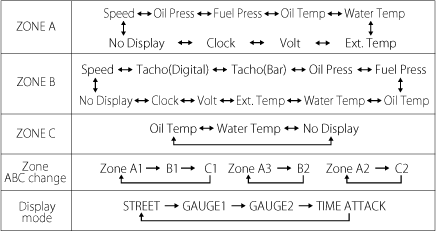
There are 4 display modes. (STREET, GAUGE1, GAUGE2 and TIME ATTACK)
The default is STREET display mode which displays clock, water temperature, speed, odometer, and tripmeter. The display modes can be changed through one push. The item displayed on screen are also changeable.
Default display for each display mode
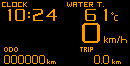 STREET |
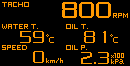 GAUGE1 |
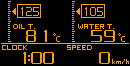 GAUGE2 |
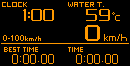 TIME ATTACK |
On GAUGE display modes, up to 6 items can be displayed.
The layout and displayable items differ by each display mode.

Opening and ending modes
When the ignition is turned on, ZD performs opening mode. When the ignition is turned off, ZD performs ending mode and then the power supplies to the unit and ZD are shut off. Opening and ending modes can be selected from A and B types by sliding the dip switch 2 on the ADVANCE Control unit.
Brightness adjustment
A dimmer sensor is equipped and the brightness can be adjusted automatically. AUTO or MANUAL mode can be selected.
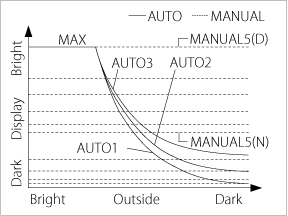
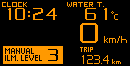
By connecting ZD to the ADVANCE System, the brightness of ADVANCE BF and ADVANCE CR is also controlled automatically.
Real mode
The real-time vehicle condition is displayed during real mode.
STREET |
GAUGE1 |
GAUGE2 |
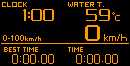 TIME ATTACK |
During real mode,
*Warning display
*Differential pressure display
*Warm-up display
*Special display(Idling display)
*Clocking 0-100km/h, 0-200km/h
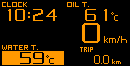 Warning display |
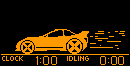 Special display |
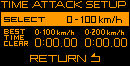 Time attack setting |
Real peak mode, real peak reset mode
The peak values recorded while driving and idling are displayed during real mode. Minimum values are displayed for oil pressure and fuel pressure. The peak values can be reset.
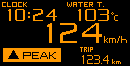 Real peak |
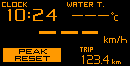 Real peak reset |
Record mode, rec peak mode
Driving data can be recorded up to 3 minutes. The peak values recorded while recording are displayed during record mode. Minimum values are displayed for oil pressure and fuel pressure.
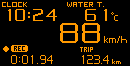 Record |
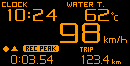 Rec peak |
Playback mode, play peak mode
Recorded data is replayed. Pausing, fast- forwarding, rewinding, single frame forwarding, and single frame rewinding for data are possible. The peak values recorded while recording are displayed during playback mode. Minimum values are displayed for oil pressure and fuel pressure.
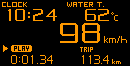 Playback |
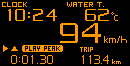 Play peak |
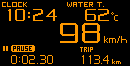 Play: pause |
Warning setup mode
Optional warning values can be set. While a value exceeds the warning setting, the zone that the warning item is displayed is highlighted. While warnings are displayed, buzzer sounds if the buzzer sounds is set on. If ADVANCE Indicator (sold separately) is connected to ZD and the warning
output is on, the ADVANCE Indicator lights up while the item that the output is on is under condition of warning.
Warning |
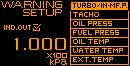 Warning setup |
Error display
When the sensor wiring is disconnected or short-circuit, the item zone is highlighted and OPEN or SHORT is displayed.
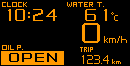 Open(disconnected) |
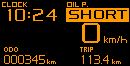 Short(short-circuit) |
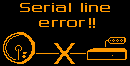 Serial line error |
Sequential indicator
8 LEDs (red) light up or blink depending on the engine revolutions. The lighting pattern can be selected from [SINGLE] and [DUAL]. The lighting pattern and step is set in display setup mode.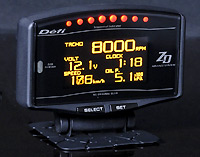
Alarm function
If the alarm is set, buzzer sounds and sequential indicator blinks at the setting time. Buzzer sounds for a minute. Sequential indicator (all the LEDs) blinks at the same time.
